Cleveland News from WKYC
- 4.2
- Rating
- 100.00K
- Installs
- Free
- Price

 Analysis by App-foxy
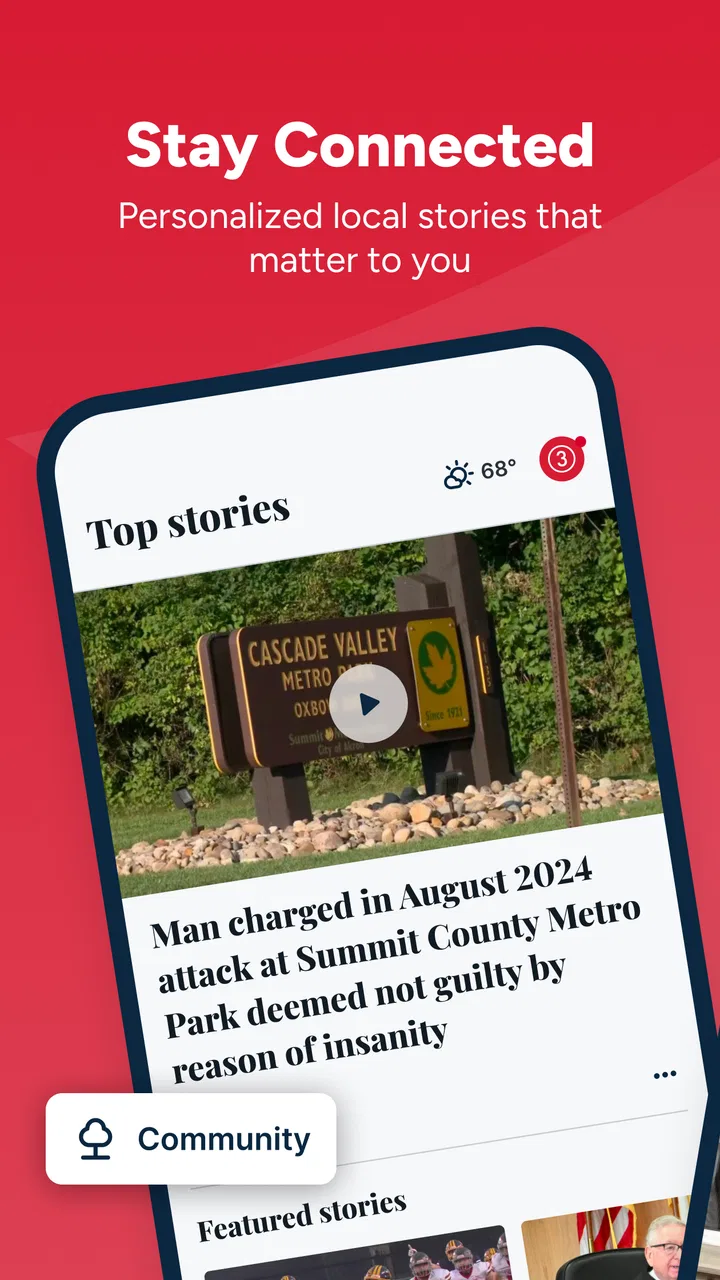
When I want a quick view of what is happening around Cleveland, I would rather open a local news app than sort through a national feed full of stories that do not affect my day. Cleveland News from WKYC is built for that narrower purpose. It comes from TEGNA and focuses on local reporting, live video, and weather information in one place. After spending time with it, I see it as a practical companion for people who follow Cleveland closely, especially when local conditions can change quickly.
The app is free and available to everyone, which makes it easy to try without committing to a subscription. It sits in the News & Magazines category, has an average rating of 4.2 from around 1.6 thousand ratings, and has passed 100 thousand installs. Those figures suggest a reasonably established audience, although I would still judge it by how well its local coverage fits my own routine rather than by popularity alone.
How Cleveland News fits into a local information routine
I use a local news app most effectively when I give it a small, repeatable job: a quick Cleveland-area check before the day gets busy, followed by a return only when a story affects my plans. That habit keeps headlines from turning into an endless scroll and makes the weather and live coverage easier to use with purpose. From there, the useful question is which choices help that routine without adding noise.
You May Also Like

 Blood Strike: 2.5 Anniversary
Blood Strike’s Loadouts Turn Every Drop Into a Tactical Gamble
A close look at Blood Strike’s custom loadouts: how fast access to signature weapons reshapes its battle royale rhythm, rewards preparation, and narrows the gap between fights.

 Pandora - Music & Podcasts
Pandora’s Music Is Easy to Start, but Harder to Recover
Pandora’s strength is its low-effort path from a seed to a station. Its weak spot is how much confidence it asks you to place in connection, setup, and quiet recovery.

 8 Ball Pool
 Is Built on Rivalries, Rematches, and Routine
A close look at the rivalries, rematches, shared routines, and unanswered safety questions that turn a quick pool match into a persistent mobile community.

 Samsung Music
’s Quiet Strength Is Playing What You Already Own
Its reach comes less from spectacle than from dependable access to a personal library. That simplicity is both the app’s strongest retention engine and its ceiling.

 AccuWeather: Weather Radar
AccuWeather Review: A Quick, Clear Forecast for Everyday Decisions
For everyday plans, the best forecast is the one you can understand quickly. AccuWeather makes rain timing, radar, and local conditions easy to act on, with a few trade-offs.

 Hill Climb Racing
Why Hill Climb Racing Still Turns Crashes Into One More Run
A tiny car, a bumpy hill and one more upgrade: Hill Climb Racing keeps resurfacing because its simple chaos makes every near-miss feel personal.
More From Our News Desk



A focused alternative to a general news feed
The biggest strength is its geographic focus. A national news application may offer more sections, broader analysis, and a larger range of topics, but it also makes local information compete for attention. Here, the purpose is clearer: Cleveland-area news, live coverage, and weather are the center of the experience. I do not have to wade through unrelated national headlines before reaching a story that matters to my commute, neighborhood, or weekend plans.
That focus makes the app particularly useful in short sessions. I can open it in the morning to check the local picture, return during a developing story, and use the weather forecast before leaving home. It is not trying to replace every source of information on my phone. In my view, it works best as a local layer alongside a broader news app, not as the only place I read.
The publisher identity also matters here. TEGNA is clearly associated with the app, while the WKYC name gives the product a recognizable local-news context. That does not mean I should accept every headline without question, but it gives me a clear starting point when I want Cleveland-specific coverage instead of an anonymous collection of links.
A realistic morning and breaking-news workflow
A useful everyday routine would be to open the app before work, scan the leading local headlines, check the forecast, and then return to live video if a major event is developing. That sequence is more efficient than opening separate services for local reporting, streaming coverage, and weather. It is also easier to remember because the app has one obvious regional purpose.
Live video is especially valuable when a written headline does not provide enough context. Seeing an ongoing report can help me understand whether a situation is still unfolding, whether officials are speaking, or whether the story has moved beyond the first alert. I would not treat live video as a substitute for careful reading, but it can be the fastest way to get a sense of what is happening.
There is a trade-off. A local app can be highly relevant when Cleveland is the subject, yet less useful when I want national politics, international reporting, specialist technology coverage, or long-form opinion. I would keep a broader source for those needs. The advantage here is not breadth; it is relevance.
What I look for before trusting a local-news app
Trust is not only about whether an app looks polished. I pay attention to who publishes it, what the app asks me to do, and whether I can use its main purpose without surrendering unnecessary control. In this case, the visible identity is straightforward: Cleveland News from WKYC is a free news application developed by TEGNA, with local coverage as its central job.
That clarity is helpful because it avoids the confusion of a generic news aggregator. I know why I am opening it and what kind of material I am likely to find. At the same time, I would still read the app’s current permission prompts and privacy explanations on my own device before accepting anything. Those screens are where the practical details of access and data handling appear, and they can change independently of a general description.
My rule is simple: use the app for its local value, while treating every permission and account choice as something to review rather than automatically approve. That is sensible for any news product, particularly one that may use location or notifications to make local information more timely.
Controls and choices that deserve attention
The most important controls for a news reader are usually the ones that shape interruption and personalization. If the app asks to send notifications, I would decide whether breaking local alerts genuinely help me or merely add noise. Someone who needs immediate awareness of weather or major events may welcome them. Someone who already receives too many alerts may prefer to keep notifications limited or disabled.
Location is another moment where I would pause. A Cleveland-focused app can still be useful without treating precise location as an automatic requirement. If a location request appears, I would read the explanation and choose the least intrusive option that still supports the feature I actually want. I would not grant access simply because the prompt appears during first launch.
Account controls matter for a different reason. If the app offers sign-in, I would first ask what I gain from creating an account. A personalized experience may be worthwhile for some readers, but casual visitors may prefer to browse without adding another login to manage. The right choice depends on the controls shown in the app, not on an assumption that registration is always necessary.
I also recommend checking the operating system’s application settings after installation. That is where I can review notification access, location access, and other permissions in a single place. This gives me a practical way to change my mind later. I do not need to treat the first setup decision as permanent.
Data-sensitive moments in ordinary use
News apps can feel harmless because their main content is public, but the surrounding features may still involve personal choices. Notifications reveal that a news service is installed and can appear on a lock screen. Location-related access may connect local relevance with a device position. Account activity, if used, can make a reading experience more personalized. None of these possibilities means the app is unsuitable; they simply make the settings worth examining.
My most cautious moment would be during an urgent story. Breaking coverage encourages fast tapping, and that is exactly when I am least likely to read a prompt carefully. I would avoid approving a new permission in a rush unless I understood why it was needed. I can watch the report first and revisit settings when I have time to make a deliberate decision.
The same applies to sharing. A local story may be useful to send to family, coworkers, or neighbors, but I would check the destination before confirming. Sharing a headline is different from sharing a screen that contains personal information or a notification preview. Good habits around the operating system’s share menu are just as important as the app’s news content.
I would also avoid assuming that a free app has no privacy considerations. The absence of a subscription price only tells me that I do not pay at the point of download. It does not answer every question about permissions, analytics, advertising, or personalization. For those details, I would consult the current privacy and permission information presented by the app and the operating system, then choose whether the benefits justify the access requested.
Where the app is genuinely useful
For Cleveland residents, the strongest use case is routine local awareness. I can imagine checking it before driving across the area, during a developing weather situation, or while trying to understand why a familiar route is unusually busy. The combination of local reporting and forecast information keeps the app connected to decisions I make in real life rather than treating news as something separate from the day.
It can also help people who have moved away but still care about the Cleveland area. A focused local source is easier to revisit than a general social feed where regional stories appear unpredictably. Someone with family in the area may appreciate having a direct place to check, while still confirming important information through official emergency or public-service channels when necessary.
Live video adds a second layer for viewers who understand events better by watching than by reading. It is useful when a story is changing quickly or when the atmosphere of a scene matters. However, video also demands more time and data than a short article, so I would use it selectively rather than leaving it running in the background all day.
Who should choose another option
I would not make this my only news source if I wanted deep national or international coverage. Its Cleveland emphasis is the reason to install it, but that same emphasis limits its usefulness for readers whose interests are mostly elsewhere. A general news app, newspaper application, or specialist source may be a better primary choice for those needs.
I would also hesitate if I dislike live updates, weather information, or local headlines and only want long-form reporting. The app’s appeal is strongest when immediacy and regional relevance matter. If I prefer a quiet reading experience with carefully edited magazine-style articles, a different product may suit me better.
People who are highly sensitive to notifications should begin conservatively. I would install it, review the initial choices, and keep alerts off until I know whether they improve my day. The same cautious approach applies to location and account access: start with the minimum, test the core reading experience, and expand access only when a clear benefit appears.
Version, access, and day-to-day practicality
The current version is 50.23.2, and the app supports devices running at least iOS or Android 7.1. That broad baseline makes it approachable for people using older compatible hardware, although I would still keep the operating system updated when possible for security and stability. The app is free, and its Everyone age rating makes it suitable for a general audience.
In practical terms, I would expect the experience to depend on connectivity because articles, live coverage, and forecasts are online information. That is not a flaw unique to this app, but it affects how I use it. Before heading into an area with unreliable service, I would not assume that every live element will remain available. For urgent conditions, I would keep another trusted way to receive official alerts.
The app’s rating of 4.2 is encouraging without being a reason to ignore personal fit. Ratings compress many different experiences into one number: some people may care about alerts, others about video, and others about headline speed. I find the more useful question is whether the core Cleveland coverage matches my habits and whether the permission choices feel comfortable during setup.
Small habits that make the experience better
My first tip is to separate reading from alert management. I would decide on notifications after using the app for a little while, not during a rushed installation. This prevents a local-news tool from becoming an unwanted source of interruptions while preserving the option to enable alerts later.
My second tip is to use the weather section as a planning check rather than a complete safety system. A forecast is convenient when paired with local news, but serious weather decisions deserve attention to official warnings and changing conditions. The app can be the first place I look, not the only place I rely on.
My third tip is to compare a live report with the written story before drawing a conclusion. Video can provide immediacy, while text is often easier to scan for names, times, locations, and background. Using both formats together gives me a more balanced understanding than relying on whichever appears first.
Finally, I would revisit permissions after a major update or whenever my habits change. If I stop using alerts, I can turn them off. If I no longer want location access, I can review that choice. This ongoing check is more useful than trying to predict every future need on the first day.
My cautious verdict
Cleveland News from WKYC earns a place on my phone when Cleveland-area information is part of my everyday life. Its local focus, live video, and weather coverage make it more immediately useful than a broad news feed for regional updates. I like that its purpose is easy to understand, and I can see real value in opening it during a busy morning or a developing local story.
I would recommend it to Cleveland residents, people with family in the area, and readers who want a convenient local source without paying to download the app. I would not recommend treating it as a complete replacement for wider news coverage, official emergency information, or a careful review of device permissions. Its best role is focused and practical.
My final advice is to install it with a little restraint: read the setup prompts, choose notifications and location access deliberately, and test the core experience before creating any account or enabling extras. Used that way, it becomes a useful local-news window rather than another noisy feed. For anyone who wants Cleveland reporting close at hand, it is a sensible free option, provided its local scope and your privacy preferences line up.
FAQs for Cleveland News from WKYC
01What is Cleveland News from WKYC?
Cleveland News from WKYC is a local news app focused on the Cleveland, Ohio area and surrounding communities. It provides access to breaking news, weather updates, traffic information, sports coverage, investigative reports, and video content from the WKYC newsroom. The app is designed for users who want regional coverage in one convenient mobile platform.
02What type of content can I find in the WKYC Cleveland News app?
The app typically includes local and national news stories, live or on-demand video reports, weather forecasts, severe weather alerts, traffic updates, community information, and coverage of Cleveland-area sports and events. Content availability may change throughout the day as the newsroom publishes new reports, so users can expect a regularly updated mix of articles, clips, and alerts.
03Does Cleveland News from WKYC provide emergency weather and breaking-news alerts?
Yes, the app is intended to keep users informed about important developments through push notifications, including breaking local news, severe weather, school or community updates, and other urgent information. After installation, you can usually manage notification permissions and select which alerts you want to receive. Enabling location access may also improve the relevance of weather information.
04Is the WKYC news app free to download and use?
Cleveland News from WKYC is generally available as a free download for supported Android and iOS devices. Users can normally read news reports, watch available videos, check forecasts, and receive alerts without purchasing a subscription. However, the app may contain advertising, and mobile data charges can apply when streaming video or browsing content away from a Wi-Fi connection.
05Does the app support live news, video, and personalized local information?
The WKYC app offers video-based reporting and may provide live coverage or livestreams when important events are taking place, although availability can depend on programming, location, and technical conditions. Users can often personalize the experience by allowing location services, enabling notifications, and selecting relevant topics. A stable internet connection is recommended for uninterrupted video and live content.
Pros
- Fast access to breaking news across Cleveland and Northeast Ohio.
- Live weather updates
- forecasts
- radar
- and severe-weather alerts.
- Local reporting covers communities often missed by national news apps.
- Video news clips make major stories easy to follow on the go.
- Push notifications help users stay informed about urgent local events.
Cons
- Some notifications may feel frequent or repetitive during developing stories.
- Advertising can make parts of the app feel visually cluttered.
- Coverage is primarily regional
- limiting its usefulness outside Northeast Ohio.
- Video playback may use substantial mobile data without Wi-Fi.
- Certain articles may require scrolling through promotional content first.

Cleveland News from WKYC
Gallery